
Libby - Downloadable Books
As a patron of the Chesterfield Library, you have access to The NH Downloadable Books (aka Libby)! There are currently over 15,000 audiobooks and over 19,000 eBooks available in multiple formats and compatible with a variety of devices. In addition, there are almost 5,700 magazines!
Like physical library materials, digital titles are borrowed for either 7 or 14 days. Waiting lists are common for new materials, but thousands of other titles are available for checkout at any time.
Materials are returned automatically at the end of the lending period, and there are no late fees.
Digital magazines are always available and do not require a waiting period.
Please note: You'll need a 14-digit barcode Library card number. If you have an older card number, please stop by and we can get you a new one.
Step 1)
Download the Libby app on your mobile device or use Libby in your computer’s web browser. You can download Libby on:
iOS 10+ (get it from the Apple App Store)
Android 7.1+ (get it on Google Play)
Newer Fire tablets (get it from the Amazon Appstore)
If you have a Windows computer, Mac computer, or a Chromebook, you can use Libby in your web browser at libbyapp.com.
Step 2)
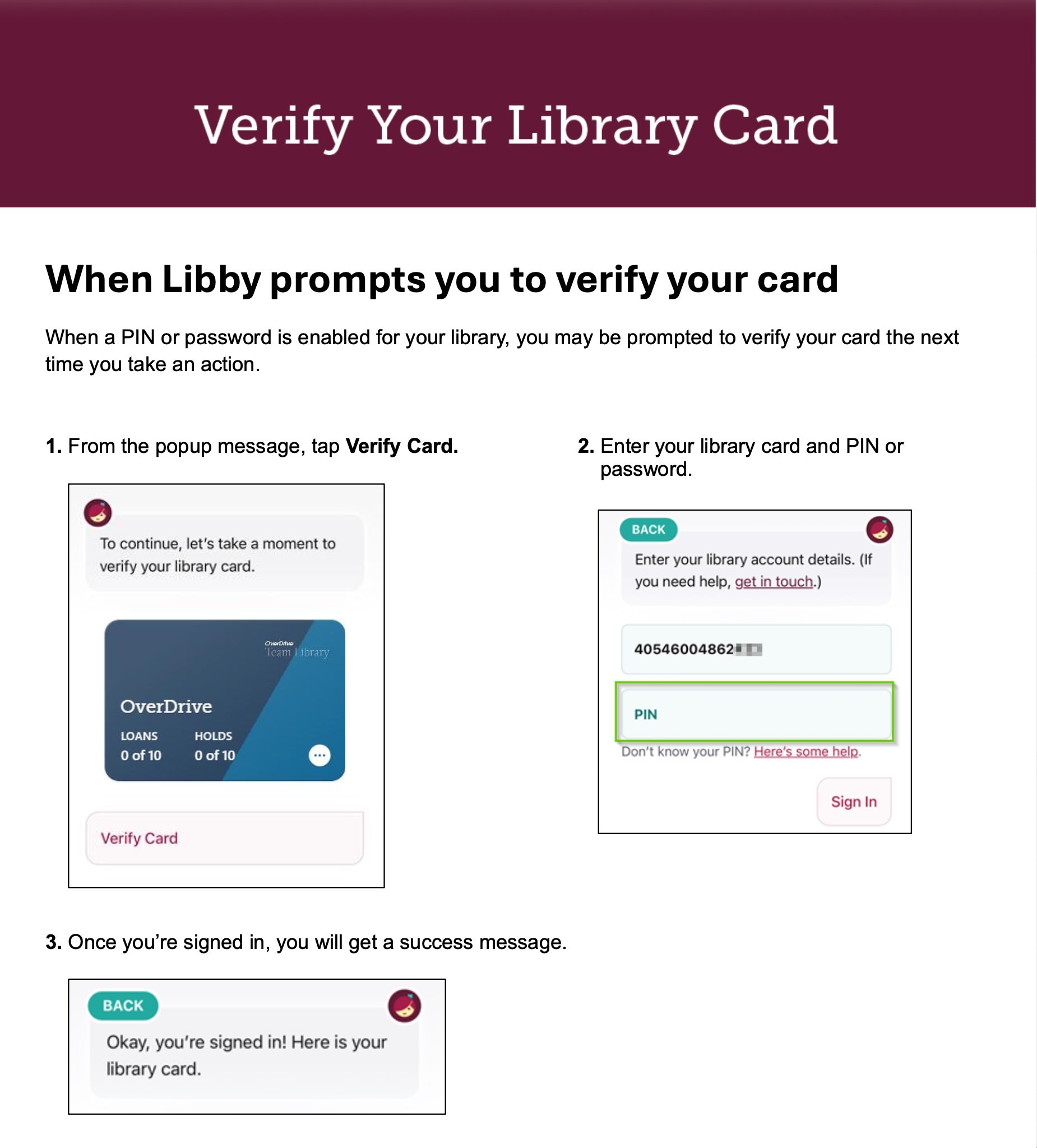
Select "Chesterfield Public Library" and then enter your 14-digit barcode number from the back of your library card and PIN. Your PIN (password) is the same password you use to log in to your Chesterfield Library Catalog account. It is your last name, ALL LOWERCASE.
If your current card has less than 14 digits, you'll need to visit the Library to get a new barcode.
Step 3)
Find something to borrow:
Tap Search to find a specific title, author, series, etc.
Tap Library to browse your library’s catalog. You’ll find helpful filters, catalog guides, campaigns, and curated lists created by your library.
Step 4)
Your loans and magazines appear on your Shelf. By default, all book and audiobook loans are downloaded for offline use when you have a Wi-Fi connection.
On your Shelf:
Tap Loans to read or manage your borrowed titles.
Tap Holds to see your place in line and manage your holds.
Tap Timeline to see your Libby activity history.
Tap Notices to see in-app notifications for your loans and holds. Choose what you want to be notified about under Menu > Notifications.
Tap a magazine on your Magazine Rack to start reading.